Mobile apps
Install on your phone or tablet, or use the website like an app. Sign in with your existing Current Systems account — the same email and password as www.currentsystems.ca.
Tip: Open store links and www.currentsystems.ca in Chrome on your phone when installing the Android app or adding the site to your home screen. Safari works for the iOS App Store and Add to Home Screen on iPhone/iPad.

Android — full app
The Android build offers the full workspace experience in a native shell. Tap the icon to open the Play Store listing, or use the button below.
iOS — companion app
The iOS app is a companion client to our web product: sign in and use core workspace tools on iPhone and iPad. Account management stays on the website.
Web app (PWA)
Use www.currentsystems.ca in your browser and add it to your home screen for quick access — same login as above. Tap the icon to open the site. On Android, open the link in Chrome for the best install prompt.
Add to Home Screen (PWA)
Use Current from your home screen just like an app — quick launch, clean window, and offline support when available.
iPhone / iPad
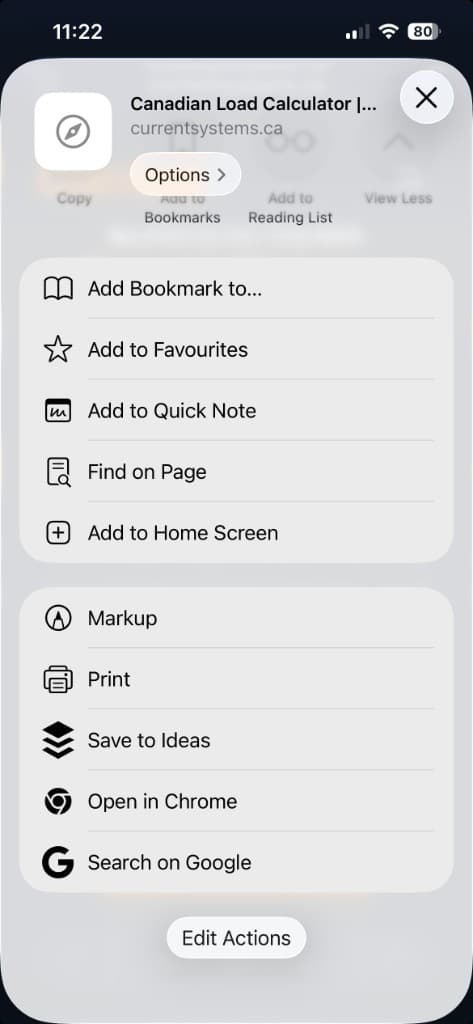
Open the site in Safari, tap Share, then choose Add to Home Screen to place Current on your device.
Android
Open the site in Chrome, tap the ⋮ menu, and select Add to Home screen (or Install app when prompted).